Moon+ Reader Pro
- 4.2
- Rating
- 1.00M
- Installs
- $11.99
- Price
 Analysis by App-foxy
I came away from Moon+ Reader Pro feeling that it is less like a simple book app and more like a reading workspace. It is made for people who keep several kinds of ebooks and documents on an Android device and want more control over how those files look, open, and stay organized. That extra control is its main attraction, but it is also where new users can get stuck.
Moon+ is a Books & Reference app from Moon+, with a 4.2 average from around 106 thousand ratings and more than a million installs. It is rated for Everyone, costs $11.99, and the current version is 10.7. Those details place it above the basic free-reader crowd, so the real question is not whether it can display a book. The question is whether its deeper controls will make your reading life easier rather than give you another system to manage.
Where the first setup usually becomes confusing
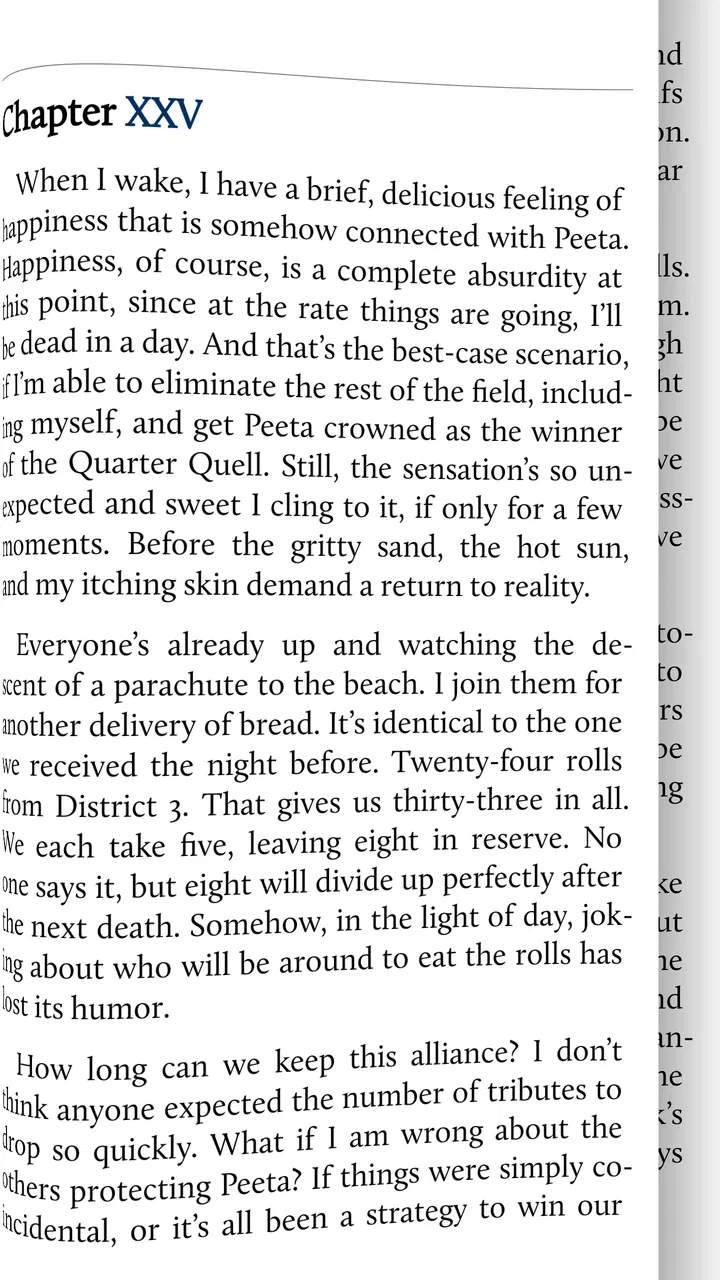
The first hurdle is understanding that the app is primarily a reader and document manager, not a bookstore. If I expect to open it and immediately browse a large built-in catalogue, I may think something is missing. The smoother approach is to begin with books or documents already available on the device, then let the app become the place where I read and arrange them.
You May Also Like

 Blood Strike: 2.5 Anniversary
Blood Strike’s Loadouts Turn Every Drop Into a Tactical Gamble
A close look at Blood Strike’s custom loadouts: how fast access to signature weapons reshapes its battle royale rhythm, rewards preparation, and narrows the gap between fights.

 Pandora - Music & Podcasts
Pandora’s Music Is Easy to Start, but Harder to Recover
Pandora’s strength is its low-effort path from a seed to a station. Its weak spot is how much confidence it asks you to place in connection, setup, and quiet recovery.

 8 Ball Pool
 Is Built on Rivalries, Rematches, and Routine
A close look at the rivalries, rematches, shared routines, and unanswered safety questions that turn a quick pool match into a persistent mobile community.

 Samsung Music
’s Quiet Strength Is Playing What You Already Own
Its reach comes less from spectacle than from dependable access to a personal library. That simplicity is both the app’s strongest retention engine and its ceiling.

 AccuWeather: Weather Radar
AccuWeather Review: A Quick, Clear Forecast for Everyday Decisions
For everyday plans, the best forecast is the one you can understand quickly. AccuWeather makes rain timing, radar, and local conditions easy to act on, with a few trade-offs.

 Hill Climb Racing
Why Hill Climb Racing Still Turns Crashes Into One More Run
A tiny car, a bumpy hill and one more upgrade: Hill Climb Racing keeps resurfacing because its simple chaos makes every near-miss feel personal.
More From Our News Desk



That distinction matters because a reader can fail before the reading screen even appears. A file may be stored in a folder I am not checking, may use an extension I do not recognize, or may have been downloaded by another app into a location that is not obvious. In that situation, repeatedly changing text settings inside Moon+ will not help. I first check where the file actually lives and whether it opens elsewhere.
Once a title is visible, I recommend opening one ordinary book before importing a whole library. This gives me a clean reference point. I can see whether page turning, text size, spacing, and orientation feel comfortable without also trying to diagnose a large collection. It is a small habit, but it prevents a common mistake: changing several options at once and then not knowing which choice caused an unexpected result.
Start with a small, known-good file
For a first test, I use a book that opens normally in another reader. That separates an app setup problem from a damaged or unusual document. If the same file behaves badly in multiple readers, the file deserves attention first. If it works elsewhere but not here, I return to Moon+ and adjust one setting at a time.
I also avoid designing the entire library before I know how I read. The app offers enough flexibility to tempt me into organizing every title immediately, but a practical setup is better: add a few current books, establish a comfortable reading style, and only then decide how much sorting is worthwhile. Readers with hundreds of files may appreciate the management tools, while someone with three books may find the extra structure unnecessary.
A useful early check is the difference between a reflowable ebook and a fixed-layout document. A reflowable book usually responds well to changes in font size and spacing. A fixed-layout document may be designed around pages, illustrations, columns, or other visual elements, so enlarging text can produce a less satisfying result. This is not necessarily a weakness in the reader; it is a trade-off built into the document format.
Make the reading screen serve the book
I get better results when I tune the display for the material instead of searching for one universal setting. A novel may benefit from a larger type size and relaxed margins, while a technical document can need more compact spacing to keep related lines together. If a page feels cramped, I change one visual control, read for a few minutes, and then decide whether another adjustment is actually needed.
This gradual approach is especially helpful because a setting that looks attractive in a short sample may become tiring over a long session. I pay attention to line length, contrast, and how easily my eyes find the next line. The most impressive-looking layout is not automatically the most comfortable one.
Moon+ Reader Pro is also a better fit for people who enjoy personalizing their reading environment than for readers who want the app to make every decision automatically. That is an important expectation to set. Its appeal comes from control, and control takes a little time to learn.
Setup checks that prevent avoidable reading problems
When a book does not appear, I begin with the file rather than the interface. I check that the download finished, that the document is stored locally or in a location the app can reach, and that I am looking in the right folder. I also try opening the file from the device’s file manager. If the operating system cannot identify or open it, the issue is probably upstream from the reader.
If a document opens but its pages look wrong, I first identify what kind of document it is. A novel, a scanned book, a PDF with columns, and a document containing many images can all place different demands on a reader. A layout problem is not always fixed by increasing the font. For a page-based document, changing the view may be more useful than forcing it into a book-like layout.
Another sensible check is whether the problem affects one title or every title. One troublesome document points toward its own formatting or file condition. Several unrelated books showing the same behavior suggest a reading preference, display setting, or app-level issue. This simple comparison saves time because it tells me where to investigate next.
For anyone moving between devices, I treat the books and the reading state as separate things. Having the same file on two devices does not automatically mean that every personal reading preference or position will follow it. Before relying on a device change for a trip or commute, I open the book on the destination device and confirm that the file is present and readable. That quick test is more dependable than assuming a collection has transferred perfectly.
Use the paid edition with realistic expectations
The $11.99 price makes sense for a reader who will use Moon+ regularly and values its richer controls. It is harder to justify for someone who reads an occasional public-domain title and is happy with a basic, low-friction app. The Pro label should be understood as a commitment to a more capable reading environment, not as a promise that every document will be effortless.
I would also give myself time to learn the interface before judging it. A feature-rich reader can feel less immediate than a minimalist alternative because more decisions are available. If I only want to tap a book and read without touching layout, organization, or document behavior, a simpler app may be the better choice even if it offers fewer possibilities.
The minimum operating system is Android 5.0, which makes the app accessible across a broad range of Android devices. Even so, the experience can vary with screen size, device performance, display settings, and the nature of the document. A large, image-heavy file will naturally feel different from a lightweight text novel, so I avoid using one demanding document as the only test of the whole app.
Recovering a workflow when something goes wrong
My preferred recovery method is deliberately boring: stop changing settings, close the troublesome book, reopen a known-good title, and compare. If the known-good book works, I return to the original file and test it again after checking its location and format. This gives me a baseline instead of turning the problem into a chain of guesses.
If the reading position seems wrong, I first make sure I am opening the same file rather than a duplicate with a similar name. Multiple copies can appear after downloads, transfers, or manual organization, and it is easy to continue one copy while expecting another to remember the latest page. Keeping one clearly named working copy for an active book makes this less confusing.
When a layout change makes a book worse, I reverse the most recent change rather than rebuilding everything. I keep notes mentally about what I changed: text size, spacing, orientation, or view style. The goal is to identify the smallest adjustment that restores comfortable reading. This is more efficient than resetting every preference whenever one document looks unusual.
A practical everyday example is a commute reading routine. I might download a novel at home, open it once on Wi-Fi, choose a comfortable text size, and read a few pages before leaving. If the book is missing on the train, I know the issue is not the page design; I did not finish preparing the local file. If the book opens but the text is awkward, I can correct the reading view before I am relying on it in a place with poor connectivity.
For study, I use a different workflow. I keep a small group of reference documents together, test the most complex one first, and avoid applying a novel’s visual preferences blindly to every file. The benefit of Moon+ is that it can accommodate different reading habits; the cost is that I need to notice when two documents require different treatment.
Separate app trouble from document trouble
One of the most valuable habits with any document reader is testing the same file in another compatible app. If the pages are broken everywhere, the document may be incomplete, poorly converted, or designed in a way that does not adapt well. If it is fine elsewhere, I focus on Moon+’s selected view and reading preferences instead of blaming the file immediately.
Likewise, if only one book refuses to open while several others work, reinstalling the app is an unnecessarily large response. I would first obtain the file again from its original source or check whether another copy is intact. Reinstalling can also create avoidable work if I have not considered how my local books and personal setup are arranged.
Device conditions can matter too. Low available storage, an interrupted transfer, or a file copied from an unreliable source can look like an application defect. I check the basic health of the device before making major changes. This is not glamorous troubleshooting, but it is the kind that resolves real reading interruptions.
When another reader is the smarter choice
Moon+ Reader Pro is not my first recommendation for everyone. If the priority is a very simple interface, a tightly connected book store, or an experience that hides nearly all formatting decisions, a more specialized or minimalist reader may feel better. People who mainly read one publisher’s protected books may also prefer that publisher’s dedicated application because its catalogue and account system are built around that use.
On the other hand, readers who collect files from different sources, switch between novels and documents, or care about adjusting the page experience have a stronger reason to choose Moon+. Its value is most apparent when a basic reader starts feeling restrictive. The app gives me room to shape the reading process instead of treating every book as if it were formatted identically.
I would also be cautious about recommending it to someone who dislikes setup work. The app’s flexibility is not free in terms of attention. You may need to identify files, learn where preferences affect the current book, and make sensible distinctions between document types. That is manageable, but it is part of the product rather than an accidental inconvenience.
Its Everyone content rating makes it suitable as a general reading tool for a wide audience, but that rating does not tell me whether the books I load are suitable for every reader. The app is a container and reader; the material comes from the sources I choose. That is worth remembering when setting it up for a shared family device.
My practical verdict after using it as a daily reader
I see Moon+ Reader Pro as a strong choice for an Android reader who wants an adaptable home for ebooks and documents, not merely a button that turns pages. The app rewards a measured setup: begin with one reliable file, identify its format, adjust the reading view gradually, and keep document problems separate from app problems.
The biggest strength is the combination of reading and management. I can approach a mixed collection with more intention than I can in a barebones reader, especially when different books need different visual treatment. The biggest weakness is the same feature-rich character. New users may spend time learning the controls, and readers who want a completely automatic experience may consider that effort unnecessary.
Moon+, the developer, has kept this app available since December 31, 2010, and its current version remains 10.7. I would not choose it because of age alone; I choose it when the long-running, configurable reader approach matches the way I handle books. The broad install base and substantial rating history suggest that many readers find that approach worthwhile, but my recommendation still depends on your habits.
My honest recommendation is simple: choose it if you regularly read local ebooks or documents and want meaningful control over their presentation and organization. Skip it if you want a built-in catalogue, a minimal interface, or zero interest in troubleshooting individual files. At $11.99, it is best treated as a tool for frequent reading, where its flexibility can repay the learning curve over time.
FAQs for Moon+ Reader Pro
01What is Moon+ Reader Pro, and what formats does it support?
Moon+ Reader Pro is an advanced ebook-reading app for Android designed for users who want extensive control over their reading experience. It supports popular formats such as EPUB, PDF, MOBI, CHM, CBZ, CBR, TXT, HTML, RAR, and ZIP, although the exact behavior can vary depending on the file. It also includes customizable themes, fonts, gestures, scrolling modes, and bookshelf organization tools.
02What advantages does the Pro version offer compared with the free version?
The Pro edition removes advertising and unlocks many features intended for frequent readers. Depending on the version available on your device, these may include additional themes, text-to-speech support, more gesture actions, advanced annotation and highlighting tools, password protection, cloud synchronization options, and enhanced customization. Users should check the current Google Play listing because features and supported services can change with updates.
03Can Moon+ Reader Pro open DRM-protected books purchased from online stores?
Moon+ Reader Pro is mainly intended for DRM-free ebooks and personal documents. It generally does not replace dedicated applications such as Kindle, Kobo, Google Play Books, or Adobe Digital Editions for books protected by proprietary DRM. If an ebook is locked to a particular store or account, you may need that store’s official app. Always use legally obtained files and avoid attempting to bypass digital rights protection.
04Does Moon+ Reader Pro synchronize reading progress between devices?
Moon+ Reader Pro can provide synchronization and backup features through supported cloud services or compatible storage setups, but the experience depends on the service, Android version, account configuration, and the type of content being synchronized. Before relying on it, test the process with a small library and confirm that bookmarks, highlights, notes, and reading positions are being saved correctly across your devices.
05Is Moon+ Reader Pro worth downloading for casual readers?
Moon+ Reader Pro is most appealing to readers who maintain a large personal ebook collection or enjoy adjusting every part of the reading interface. Its detailed controls, library management, annotations, themes, and reading statistics can feel excessive if you only read an occasional book. Casual users may prefer a simpler reader, while enthusiasts will likely appreciate paying once for a flexible, ad-free experience.
Pros
- Supports EPUB
- MOBI
- and many other popular ebook formats.
- Highly customizable themes
- fonts
- margins
- gestures
- and page-turn animations.
- Includes text-to-speech support for listening to books hands-free.
- Offers bookmarks
- highlights
- notes
- and cloud backup for reading progress.
- Ad-free experience with extra controls for serious
- frequent readers.
Cons
- The large number of settings may feel overwhelming for first-time users.
- Some advanced features require time to configure properly.
- PDF handling can be less convenient than dedicated PDF reader apps.
- The interface looks dated compared with newer reading applications.
- Certain DRM-protected ebooks may not open without separate authorization.

Moon+ Reader Pro
Gallery